0.2.3
Improved
- Holding a key: holding a letter down in a text box now types it again and again, as it does everywhere else. Designer's window didn't repeat it.
Fixed
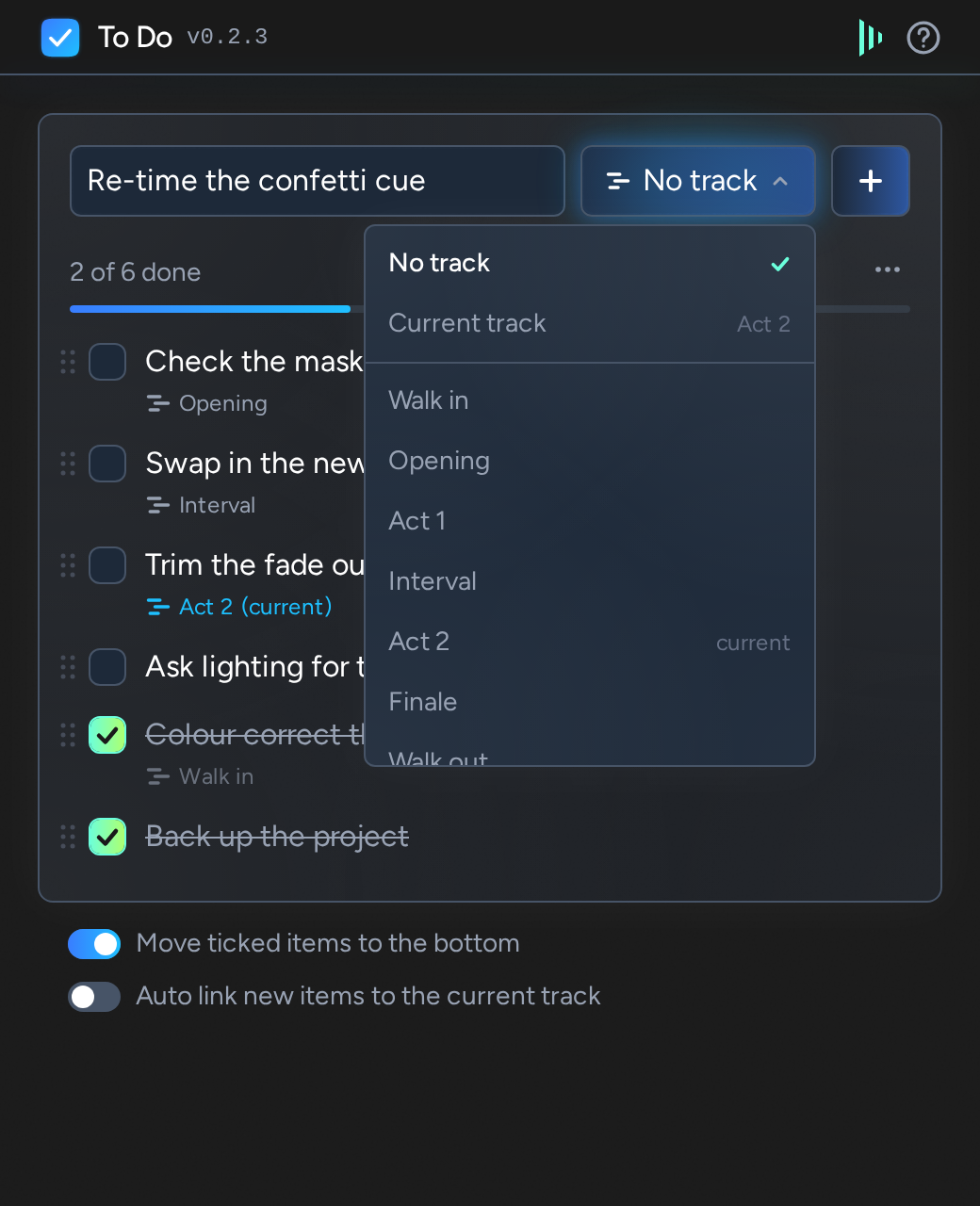
- Narrow windows: the track picker's list stays inside a window too narrow for it.

A to do list for Disguise Designer. The list is saved inside the project, and each item can be linked to a track that can be opened again from the item.
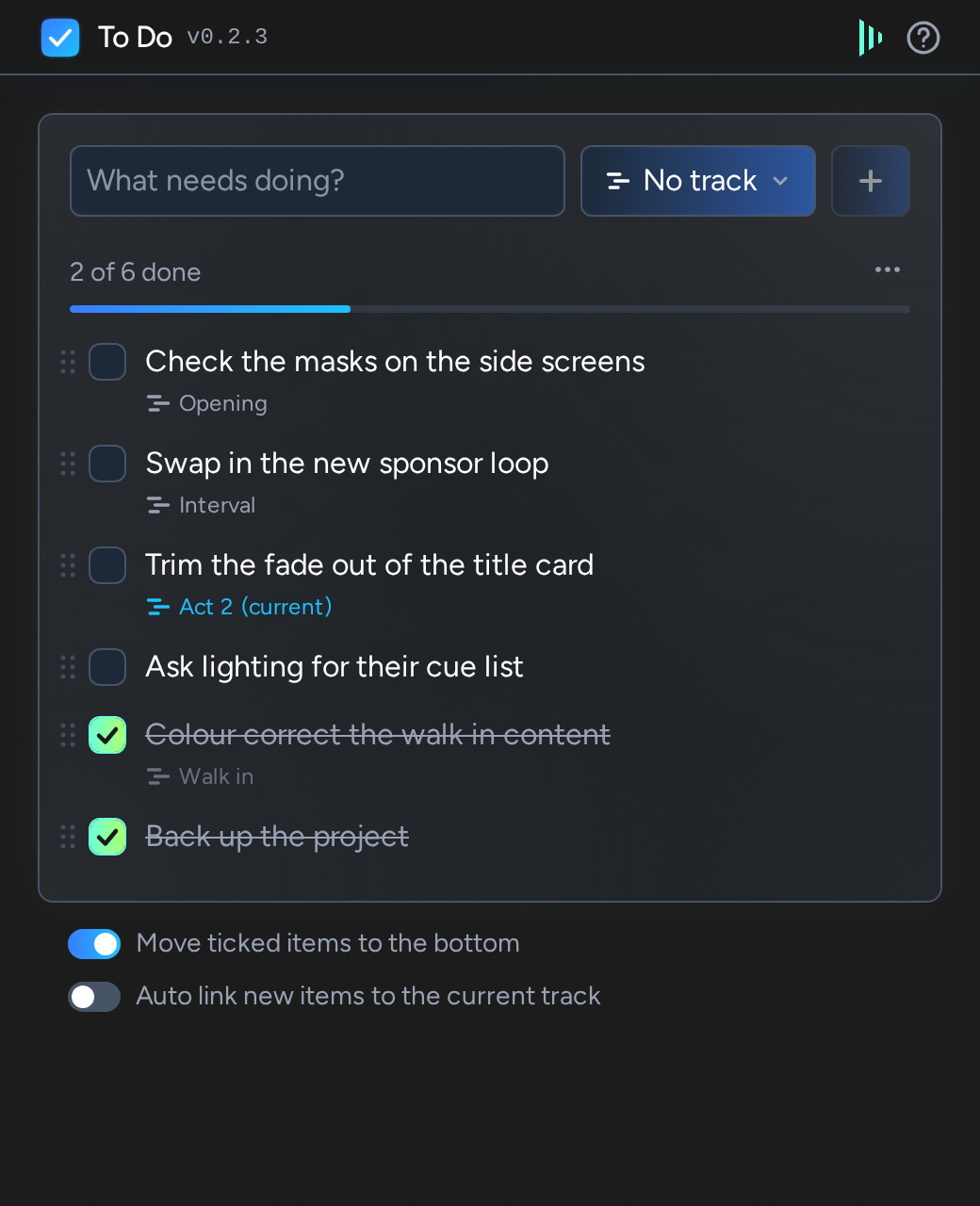
A simple to do list within Disguise.
Hover an item and click the pencil to change its text or the track it is linked to. Press Enter or click Save to keep the changes, or press Escape or click Cancel to leave the item as it was. One item is edited at a time: go to edit another with changes unsaved and you are asked first, as they would be lost.
The track button beside + shows the track a new item will be linked to. Click it to choose a track for that one item, or Current track. The tracks are listed in the order of the timeline's set list, with any that aren't in it underneath. Longer lists have a search box at the top.
In a project with several transports, the current track and the set list are those of the transport whose timeline is open in Designer, and that is the transport an item's track is opened on.
A linked item shows its track's name underneath. Hover the item and click the arrow to open that track on the timeline: Designer jumps to the start of the track, just like when you select a different track in a set list, so take care while a show is running.
Turn on Auto link new items to the current track to have every new item start off linked to the track that's open.
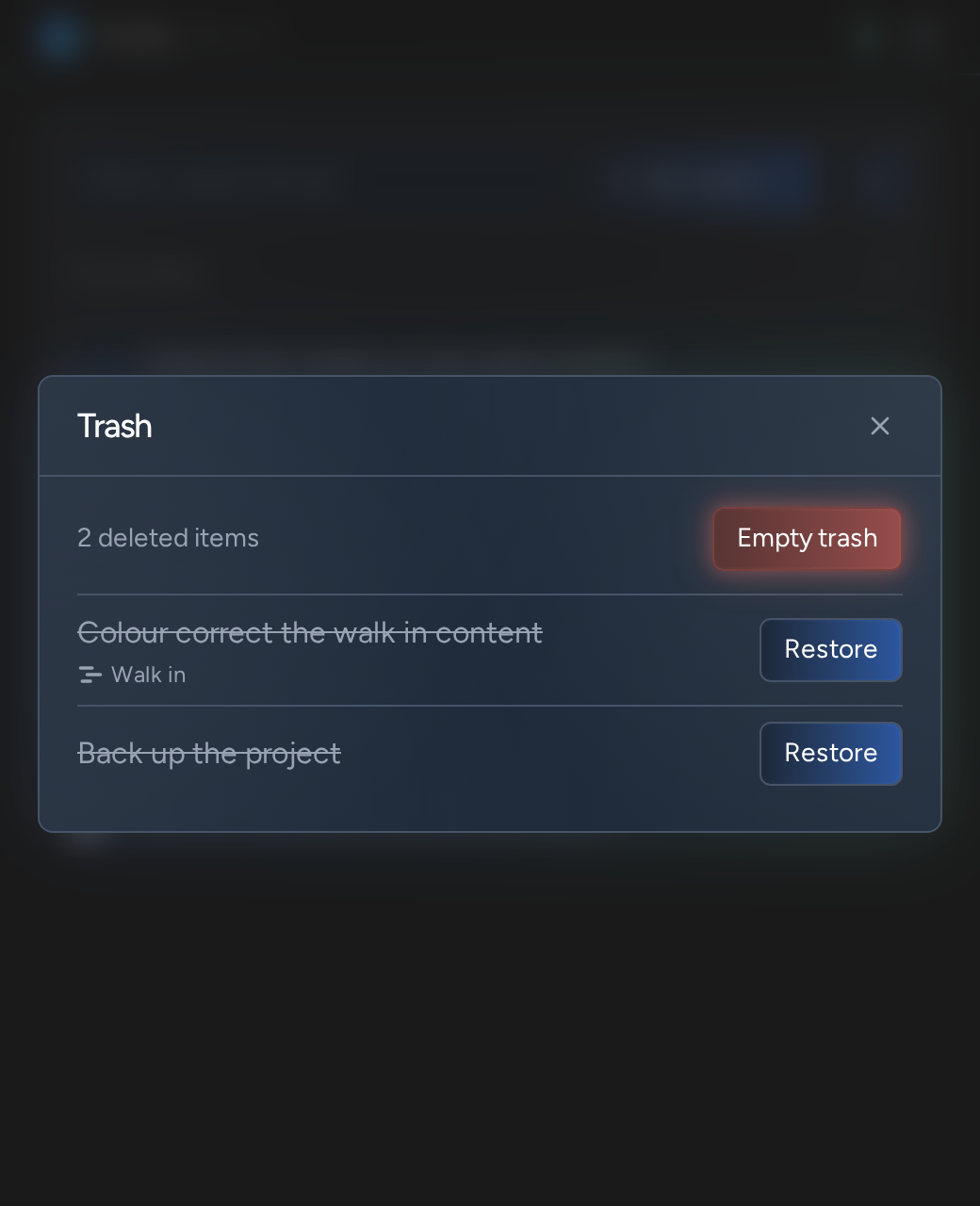
A deleted item goes to the trash, which is saved in the project with the list. Open it from the ... button to put an item back at the top of the list, with Restore, or to delete everything in it for good, with Empty trash, which asks first.
The list is saved in the project a moment after each change, and changes made in another operator's Designer appear within a few seconds. The Disguise logo in the top bar is green while the plugin can reach Designer; hover it to see when the list was last saved.
The list and its trash together hold several hundred items, around 500 if each is linked to a track. Delete finished items and empty the trash to make room.
Editing, trash, longer lists and lower load on Designer.
Initial version.